Scale ticket reconciliation
Reconcile every scale ticket against the invoice it came with.
The ticket is the proof of what moved. Loadoc reads the scale tickets (weight tickets, mill tickets) scanned in behind each hauler's invoice and reconciles them against the invoice and against each other, so the clerk only opens the loads where something does not agree.
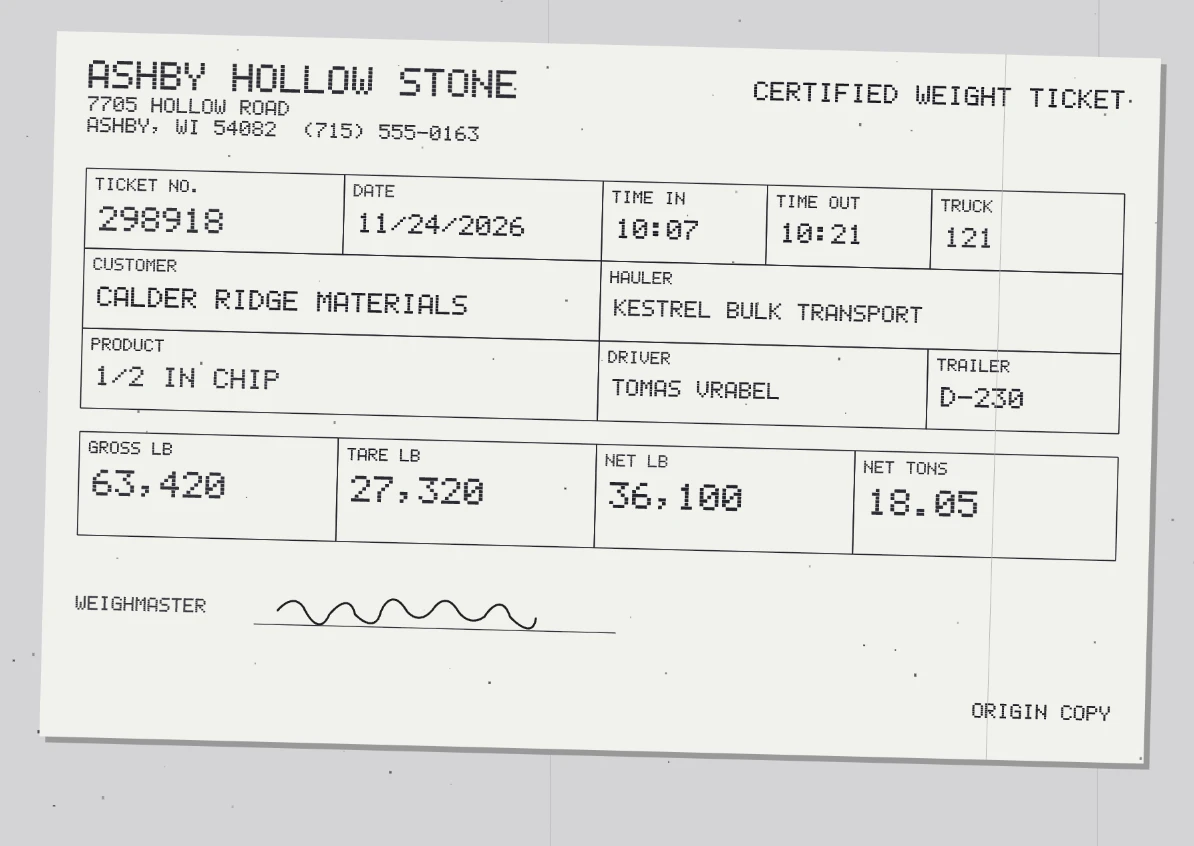
What is checked
Six ways a ticket can disagree with its invoice
Each check either passes without anyone seeing it, or stops the load and says in a sentence what is wrong. The examples use made-up figures.
| The check | What you see |
|---|---|
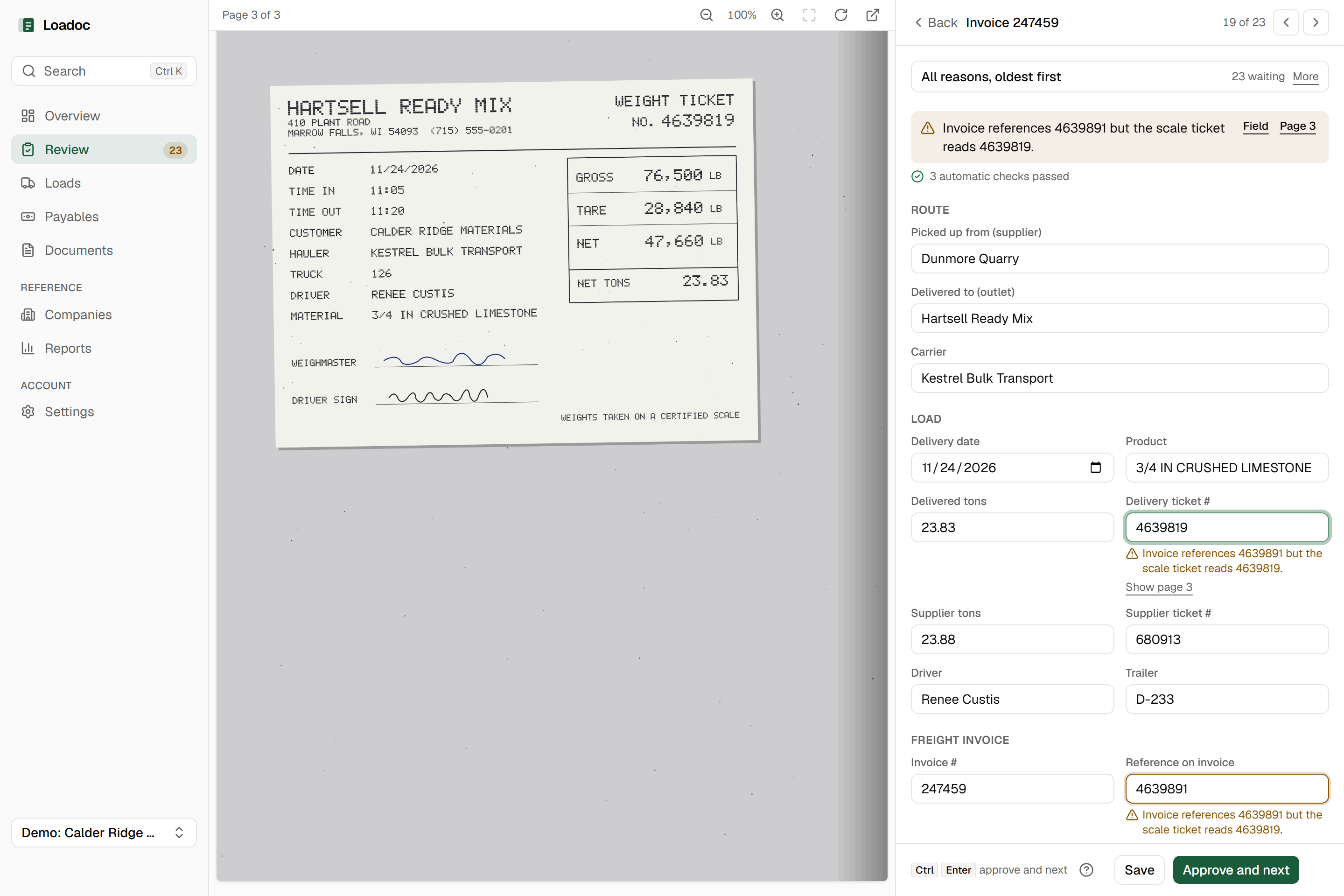
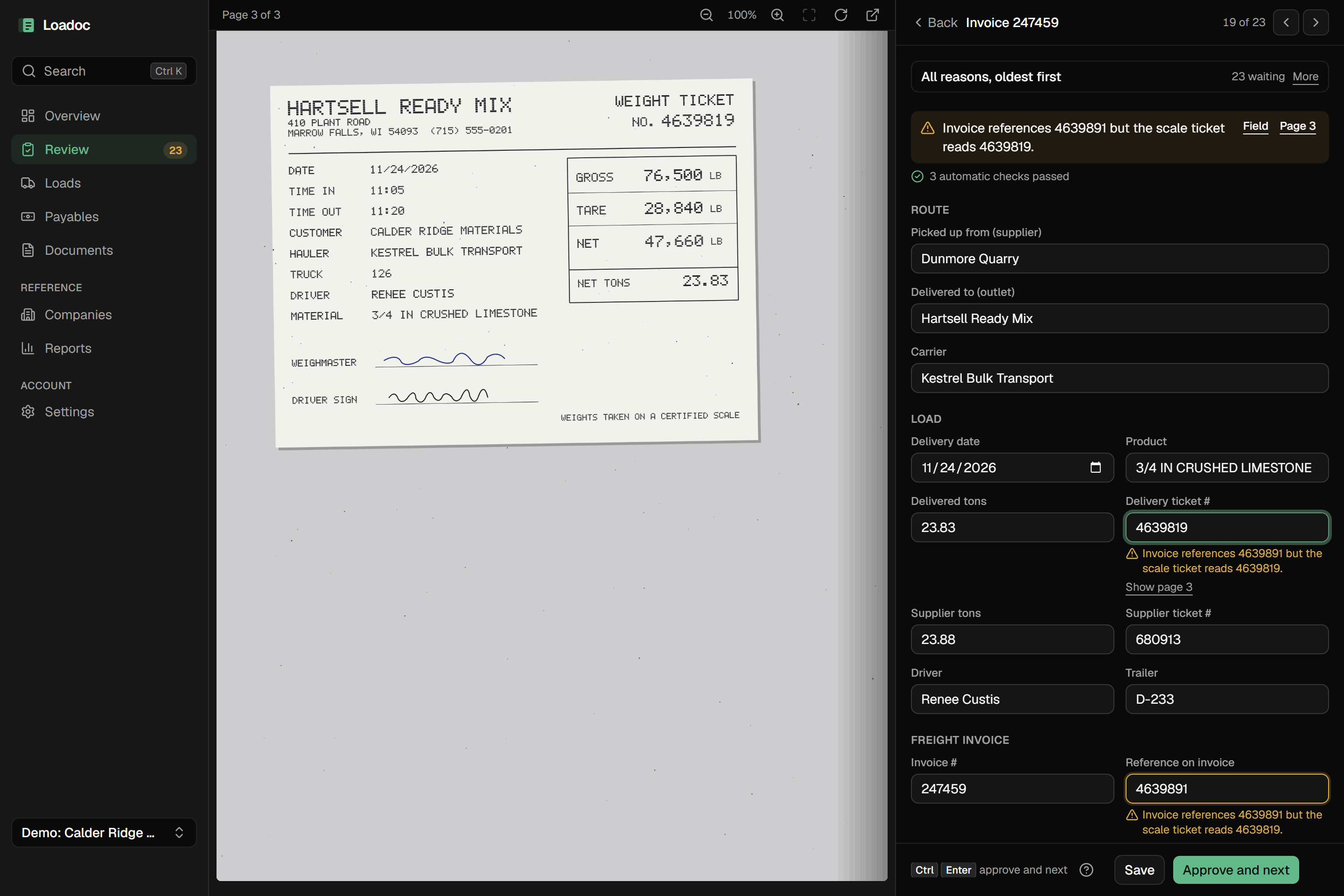
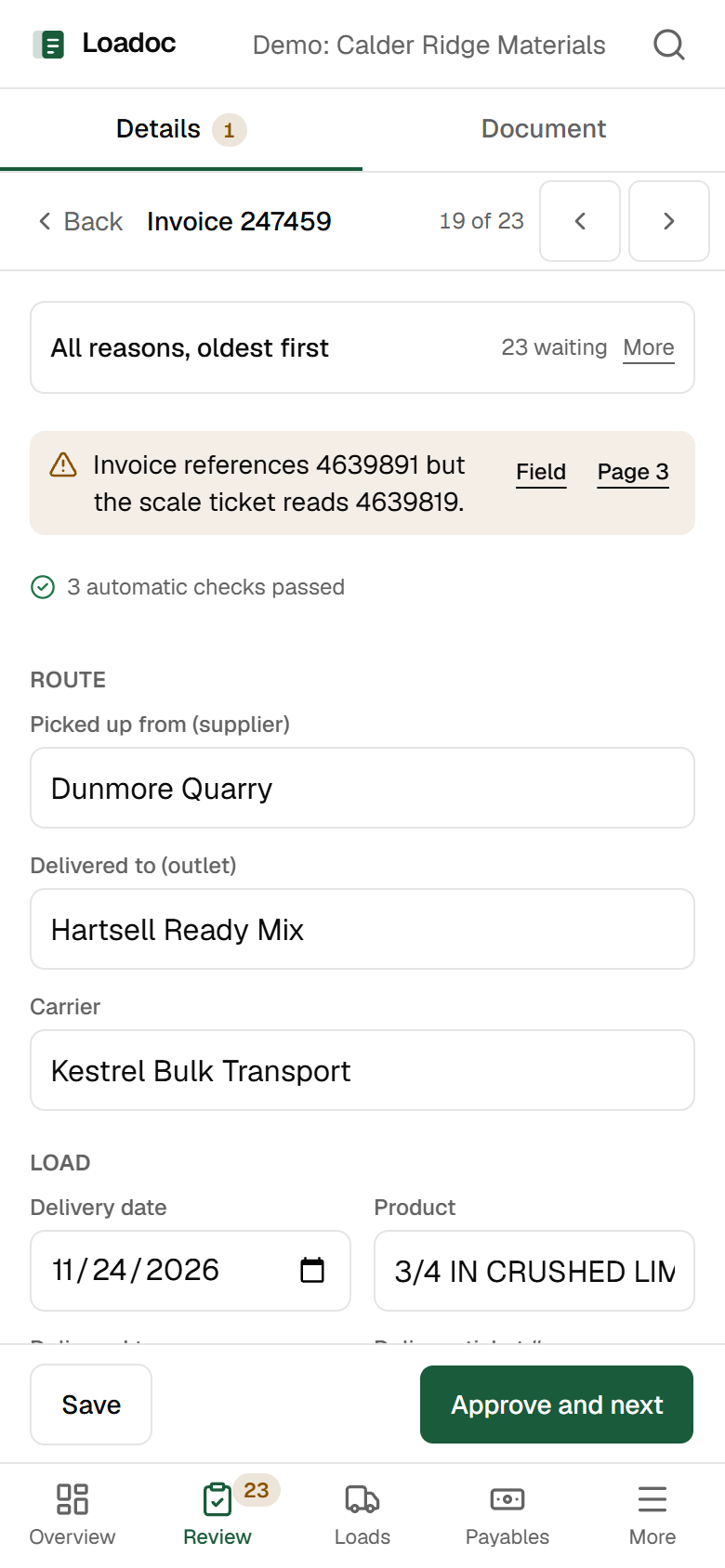
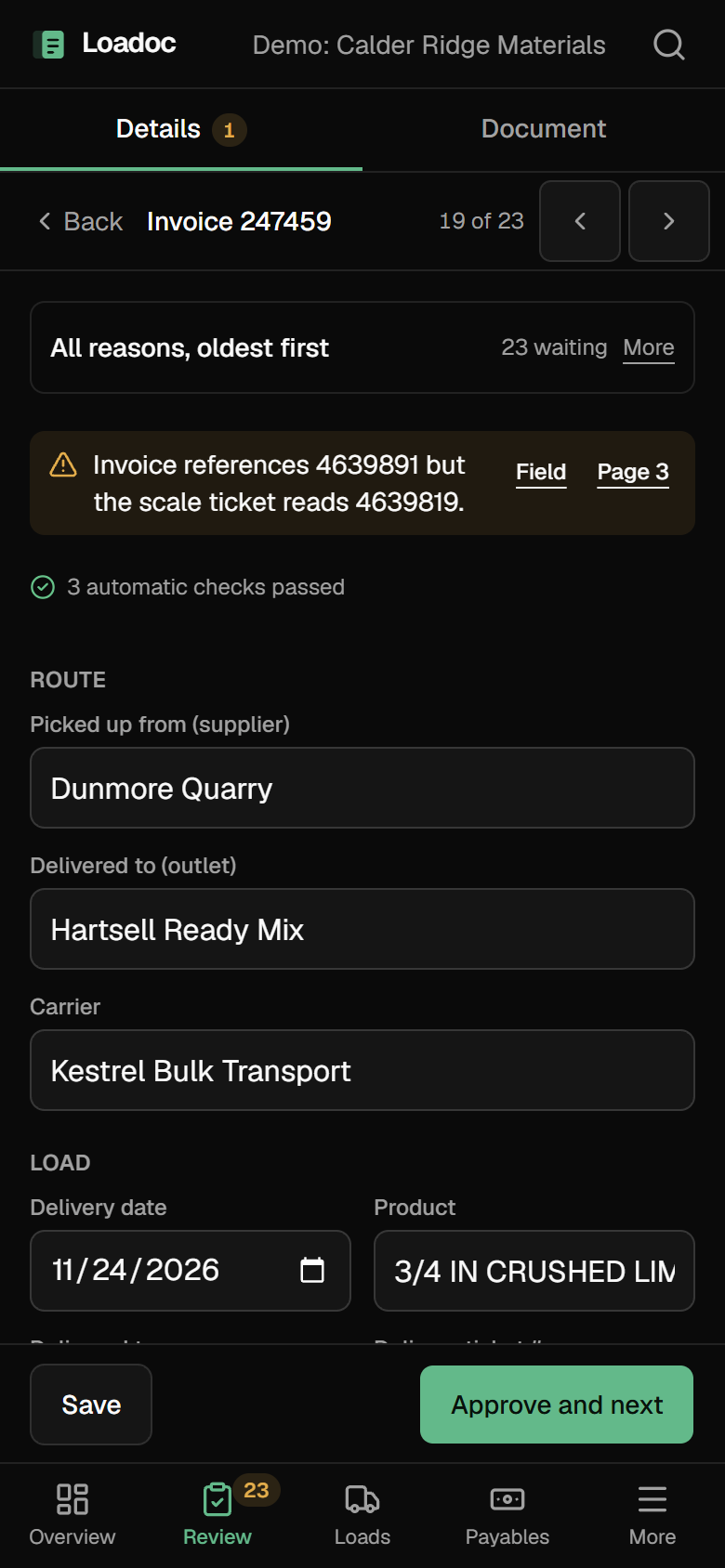
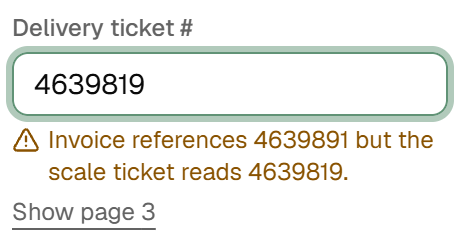
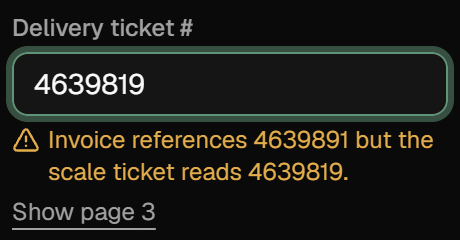
| Ticket number against the invoiceAny reference the invoice prints counts: scale ticket, bill of lading, purchase order or load number. | Flagged: Invoice references 4639891 but the scale ticket reads 4639819. |
| Gross minus tare equals netWithin 20 lb. Printed tons are also checked against the pounds. | Flagged: Scale ticket weights do not add up: 74980 gross, 29460 tare, 46520 net. |
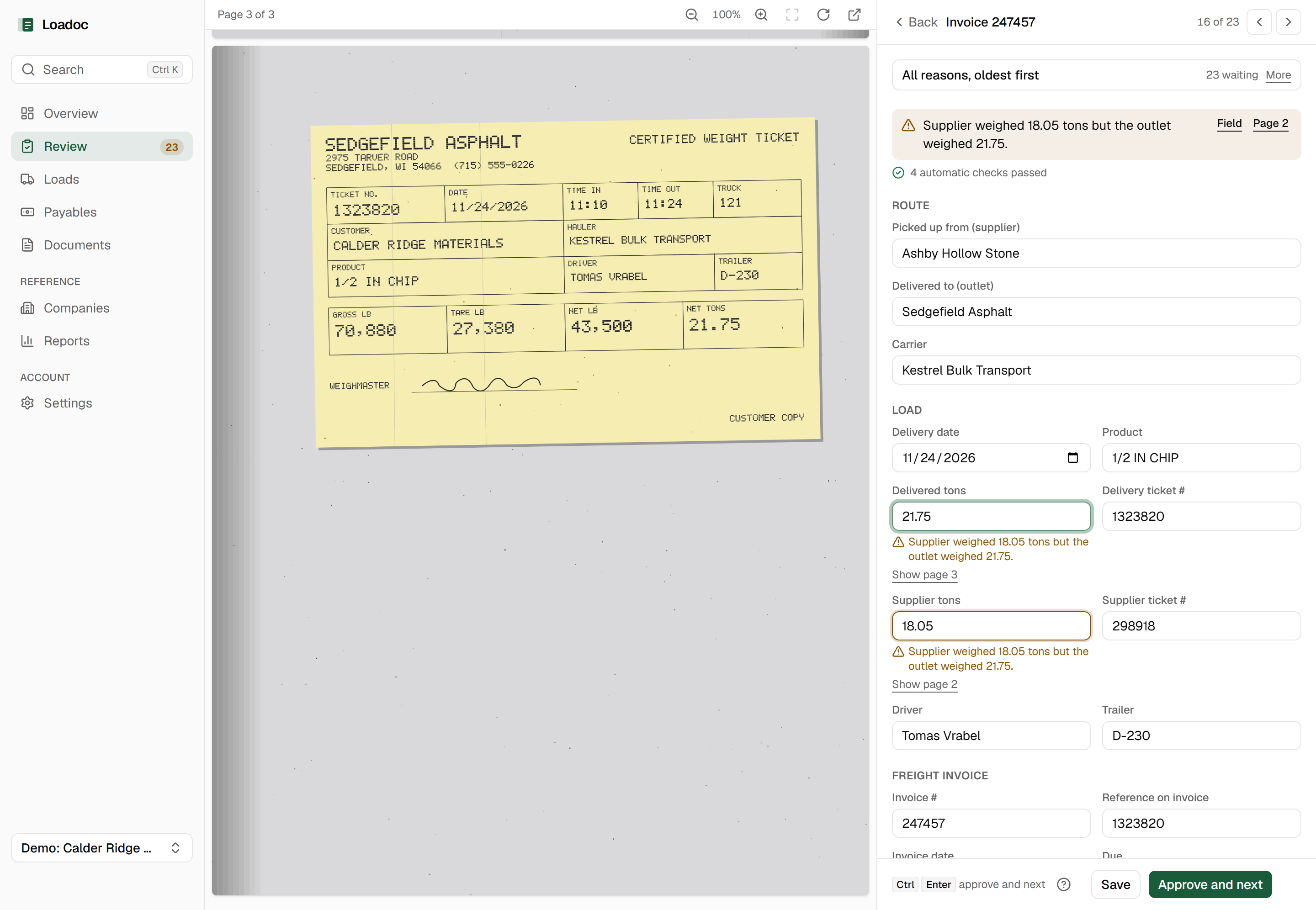
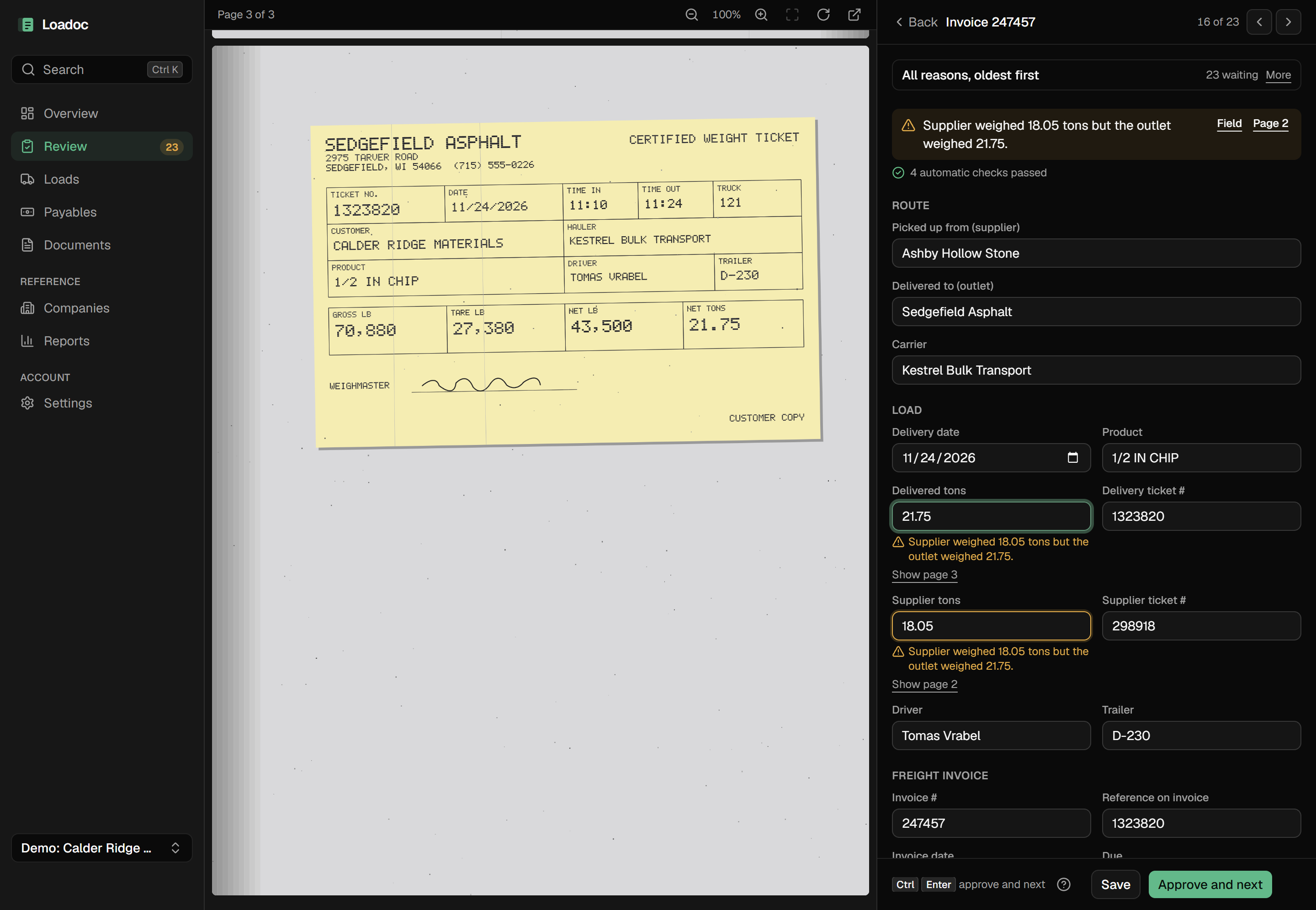
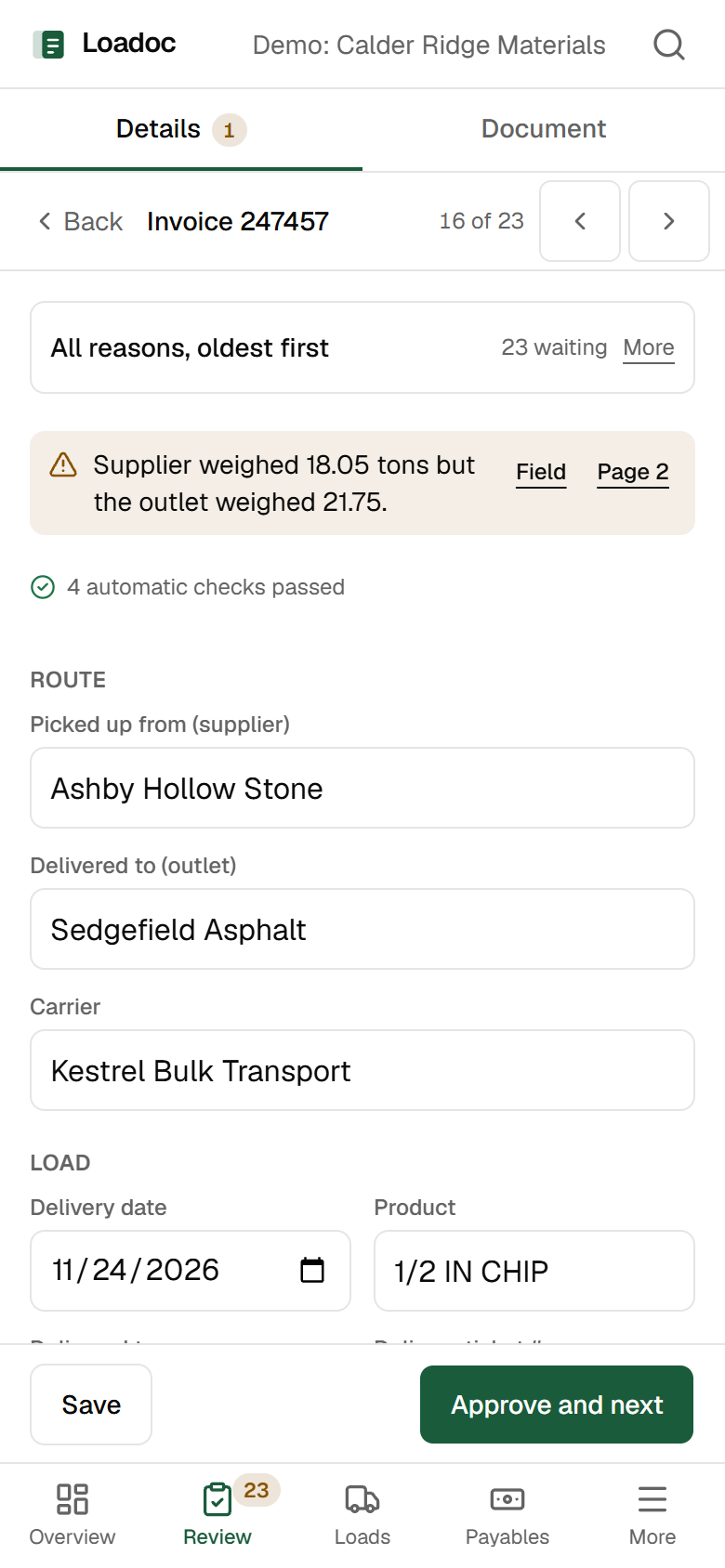
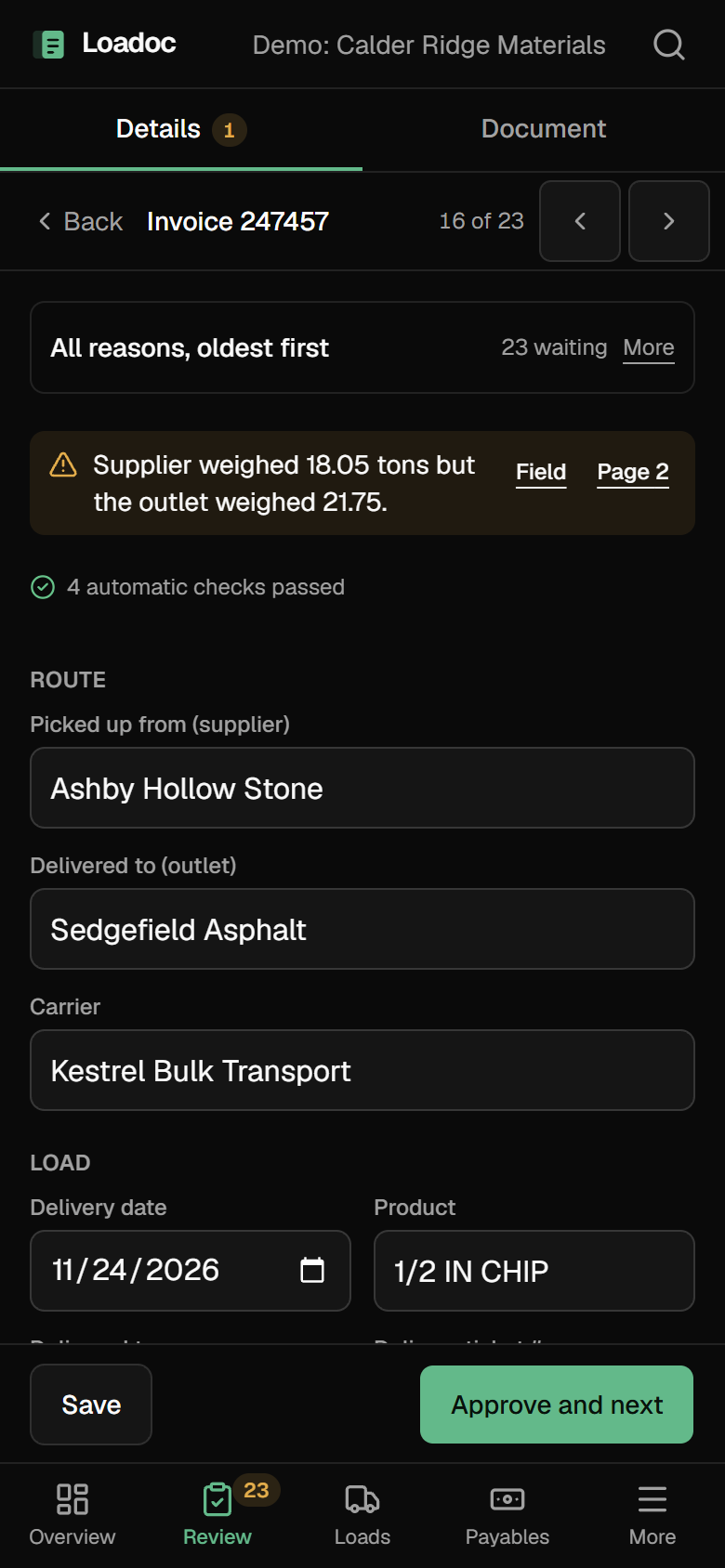
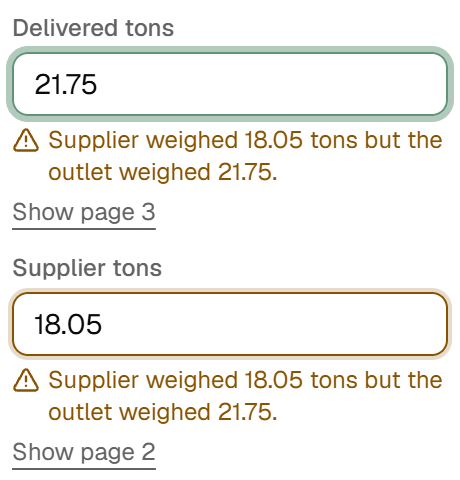
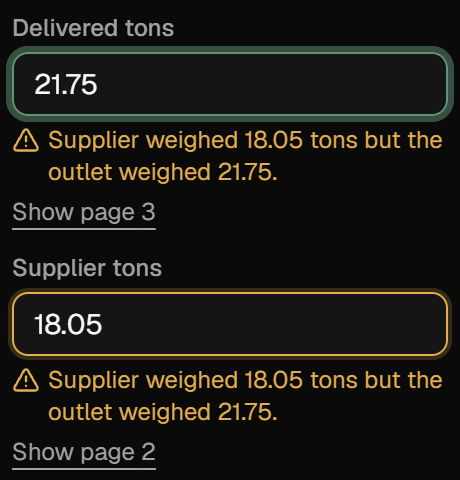
| Supplier's weight against delivered weightWhen both tickets are in the PDF. A load is held when they are more than 15% apart; smaller gaps are added up in the variance report. | Flagged: Supplier weighed 18.05 tons but the outlet weighed 21.75. |
| The weight is a truckloadA net weight far outside a truckload usually means a digit was dropped or added. | Flagged: Scale ticket weights look wrong: gross 176,960 lbs. A digit may have been misread. |
| Ticket date against ship dateMore than four days apart usually means another load's ticket was attached. | Flagged: Scale ticket is dated 2026-11-16 but the invoice ship date is 2026-11-23. |
| A ticket that cannot be readA faint, skewed or handwritten ticket is not guessed at. The field is left for a person. | Flagged: The supplier's ticket is hard to read. Check the supplier tons. |
The same checks can be run by hand. The order to do them in, and a spreadsheet layout for it, are in how to reconcile scale tickets against a hauler's invoice. The charges and the duplicate check are on the freight invoice audit page.
Ticket number
Two digits swapped, or another load's ticket
A mismatch is usually a typing slip at the hauler's office. Sometimes it is the ticket from a different load, and then the weight on your record belongs to someone else's truck.
Loadoc marks both fields and shows the scan, so you can see which number is right. If the hauler attached the wrong ticket, you ask for the right one before you approve.
Supplier weight and delivered weight
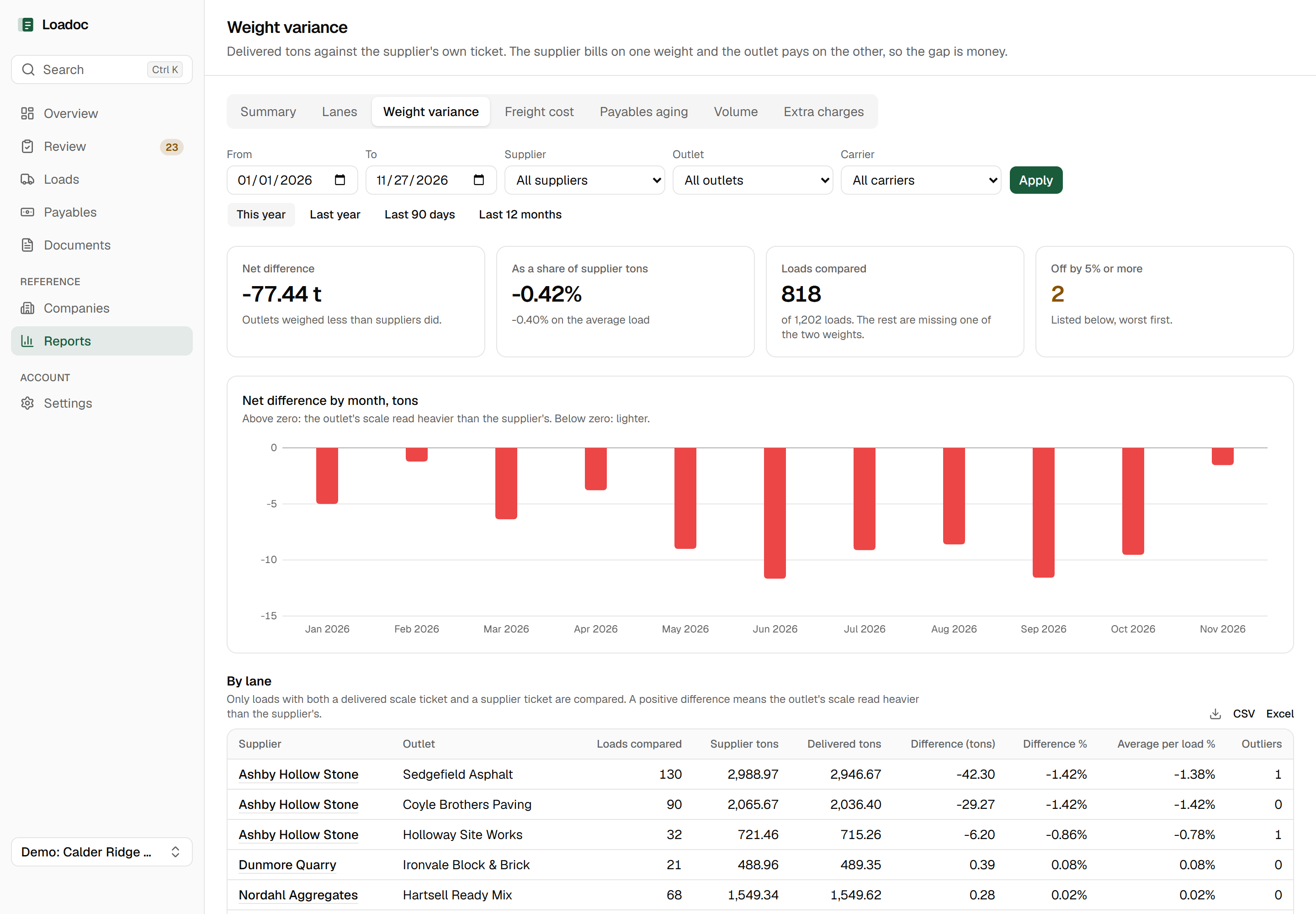
The gap nobody sees one load at a time
You are billed on one weight and paid on the other. For wood fiber delivered to a mill, the mill's scale usually governs; for aggregates sold to public agencies it is the certified scale at the plant. Either way the difference between the two tickets is money.
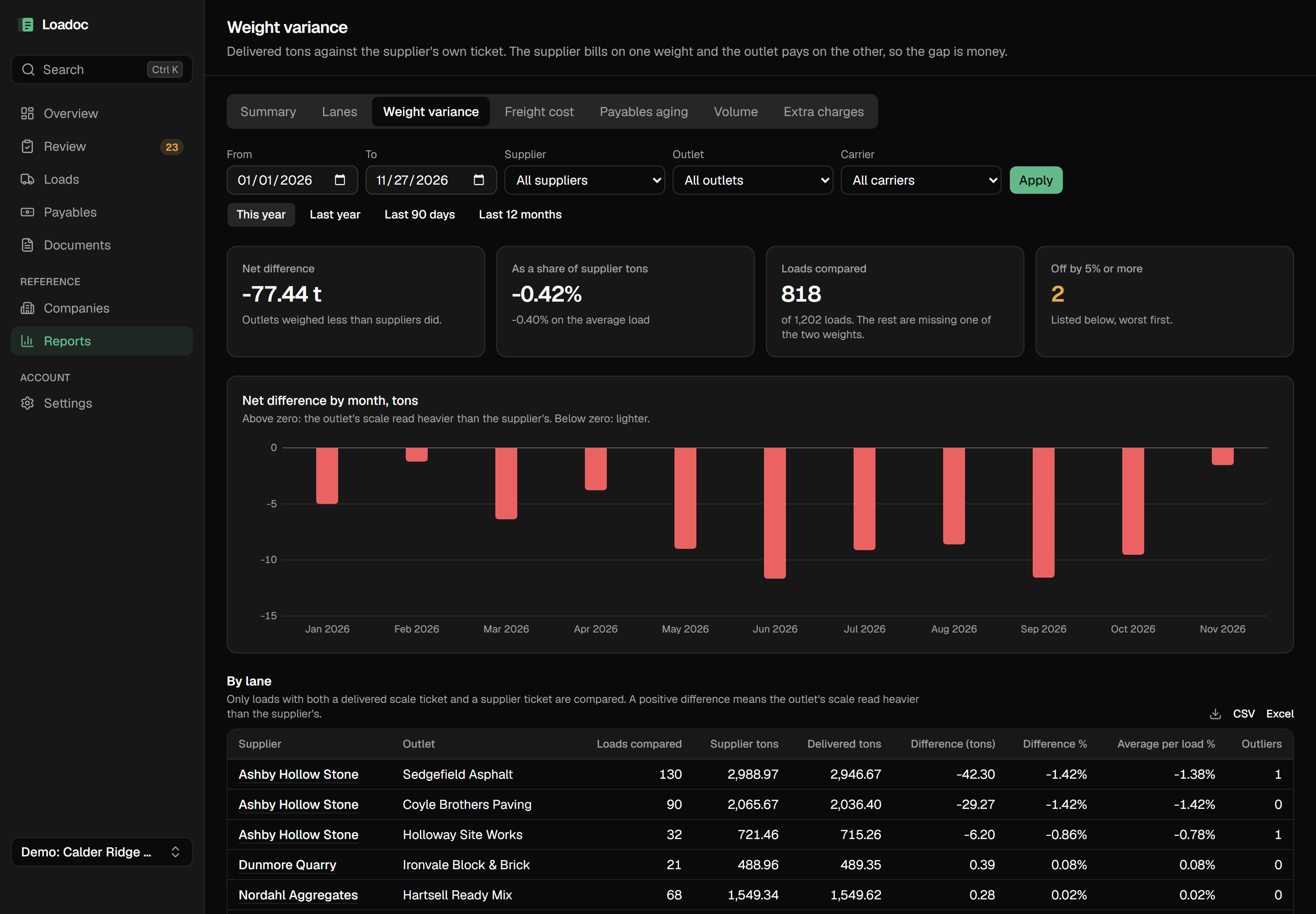
A third of a ton on one load is inside what two honest scales can differ by. The same third of a ton on every load from one supplier is a scale that needs looking at, a tare that has gone stale, or wet material. The report puts those side by side.
On the review screen
The reason sits on the field it concerns
No codes and no colour key to learn. The sentence names both figures, and the link under it opens the page of the PDF the figure was read from.
The reasons a load can be held are listed, with what to do about each, on the help page.
What it does not do
It does not weigh anything or print tickets. If you run the scale, your scale software issues the ticket. Loadoc reads tickets other people issued.
It reads scans. An electronic ticket that arrives as data has no reading error. Where a mill or a state DOT has moved to e-tickets, the checks between ticket and invoice still have to happen, but Loadoc only sees what is in the PDF.
It does not decide who is right. It shows that two tickets disagree. Which weight governs is in your contract.
Questions
- Do my haulers or the scale house have to change anything?
- No. Loadoc works from the PDF the hauler already sends: the invoice with the tickets scanned in behind it. There is no driver app, no link to the scale, and nothing for the hauler to sign up to.
- What happens with a handwritten ticket?
- It is read like any other scan. If the weight or the number cannot be read with confidence, the load goes to review with the scan beside the empty field, and a person types what the ticket says. Loadoc does not fill in a guess.
- Can it catch a weight that was read wrong?
- Often, not always. A misread that breaks the arithmetic is caught, because gross minus tare no longer equals net. A dropped or added digit is caught because the weight is no longer a truckload. A wrong digit that still leaves a believable weight is only caught when a second ticket for the same load disagrees with it.
- How far apart can two scales be before it matters?
- A truck scale in service is allowed to be off by about 0.2% of the load under NIST Handbook 44, so small differences are normal. Loadoc holds a single load when the two weights are more than 15% apart, which is almost always a wrong ticket or a misread. Steady gaps of a percent or two show up in the weight variance report, by supplier and lane.
- What if a load is not weighed at all?
- A flat-rate haul that comes with a rate confirmation instead of a ticket is checked against the rate confirmation. An invoice with no ticket and no rate confirmation goes to review as missing paperwork.
- One of my haulers bills a week of tickets on one invoice. Does that work?
- Not well yet. Loadoc treats one invoice as one load, so an invoice covering many tickets is read as a single load and sent to review. It fits haulers who bill load by load.
Guides on scale tickets
- How to reconcile scale tickets against a hauler's invoiceWhat to compare between a hauler's invoice and its scale tickets, in what order, a spreadsheet layout for the checks, and what to do with each mismatch.
- Why two truck scales give different weights, and how much is normalA legal truck scale may be off by about 0.2% of the load. What that tolerance means, why origin and destination weights differ, and which weight you pay on.
The rest of the job
- Freight invoice auditCharges that do not add up, a rate above the confirmation, and invoices sent twice.
- Carrier payablesWhat you owe each hauler and when, the weekly payment, and the remittance that goes with it.
- Lane rates and freight costFreight per ton on every lane, and the day a hauler's rate moved.
Run last month's freight bills through it
Connect the inbox your haulers bill, or drop in the PDFs you already have. The first batch shows which loads pass and which get set aside, and why.
14 days, up to 400 loads. Already have an account? Sign in